• Download the installation package from our download section.
    • Once the download is complete go to the backend of Joomla.
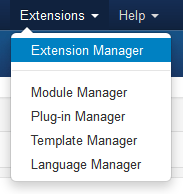
    • Navigate through your menu system to Extensions/Extensions Manager.
                    

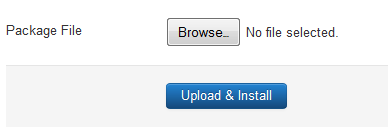
    • Once at the installation screen click the browse button and navigate to where you downloaded the template file.
    • Once you have the file selected click 'Upload File and Install'
    • The template is now installed, now let's set it as the default template:

    • Navigate through your menu system to Extensions/Template Manager.
    • Find the radio button next to the newly installed template.
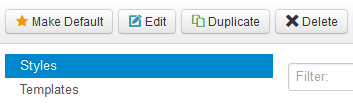
    • Click on the Default button at the top right of the screen and you're done!
     

Derniers résultats


DateEquipeRencontreScore
22/11Senior ATVFC - THORIGNE FC-
22/11Senior BVAL D’IZé - TVFC2 -
22/11Senior CTVFC 3 - LES BLEUETS 4 -
15/11Senior ATVFC - OSSE ST AUBIN-
08/11Senior CBAIS - TVFC 3 -
08/11Senior AUS VAL D'IZé - TVFC-
08/11Senior BTVFC 2 - LE PERTRE/BRIELLES 3-
25/10Senior CRANNEE LA GUERCHE - TVFC 3-
25/10Senior BTVFC 2 - MARPIRE 1-
25/10Senior ALE PERTRES BRIELLES FC - TVFC-


Buteurs Seniors


Nom PrenomButs
BARBE Enzo0
BEAUDOUIN Thomas0
BESNARD Robin0
BETIN Alban0
BETIN Charles0
BOISHUS Alexis0
BOURGEAIS Yanis0
BUSSON Kylian0
BUTEAULT Alexis0
COLLET Titouan0


Matchs du week-end

Les interviews vestiaires

Sponsors - Partenaires